Templates
Templates are ready-made look packages — often timed to music — that stack effects and motion for you.
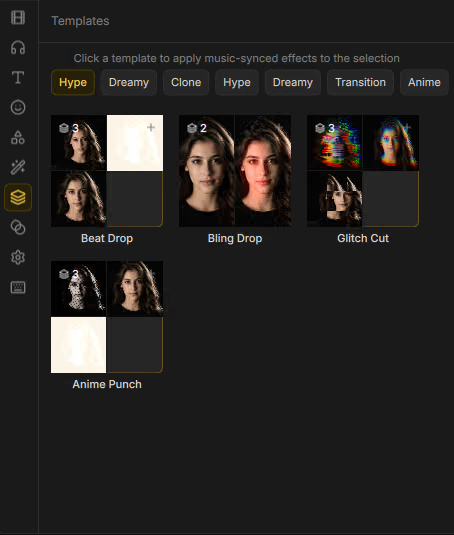
Apply a template
- Open Assets → Templates.
- Browse by category chips (Hype, Dreamy, Cinematic, Clone, Anime, Chaos, Drama, Transition, and others).
- Drag a template onto a clip (or follow on-screen placement hints).
Some templates show Needs cutout — run Cut out subject… first (see Cutouts and masks). Beat-oriented templates work best with music on an audio track.
Bundled templates
Anime Punch · Beat Drop · Bling Drop · Blur Behind · Bubble World · Cinematic Open · Comic Pop · Dream Fade · Echo Drop · Flash Storm · Ghost Walk · Glitch Cut · Kaleido Chaos · Manga Intro · Neon Cutout · Neon Night · Retro Tape · RGB Rave · Shadow Legion · Slowmo Drop · Snap Transition · Storm Drop · Sunset Leak
After applying, you can still tweak individual effects and transforms on the clip like any other edit.